
Video quality enhancement
Enhancing quality is the core of the program, not a side feature buried in menus.
CLARITY · QUALITY · FOCUS
Better video quality, without the complexity.
A studio for enhancing video quality, with a simpler workflow that starts with your file.
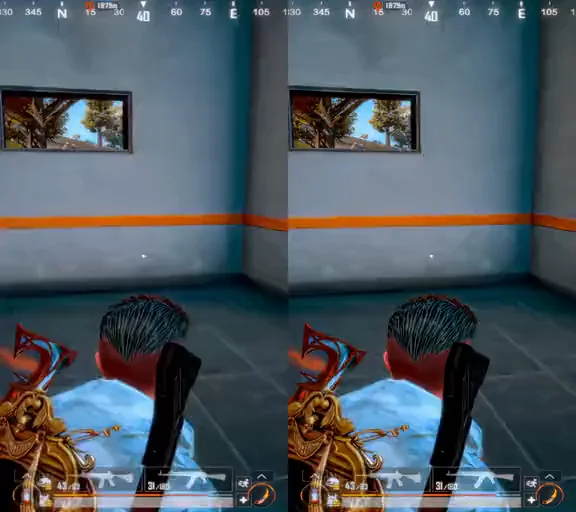
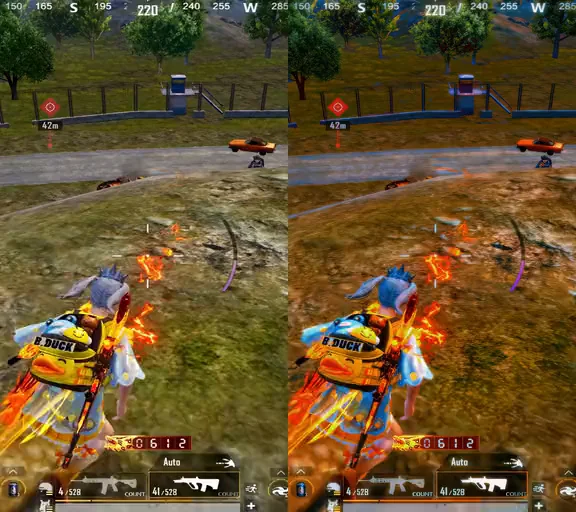
Real gameplay clips before and after processing in Elashkef Studio. Drag the line across the video to compare for yourself.
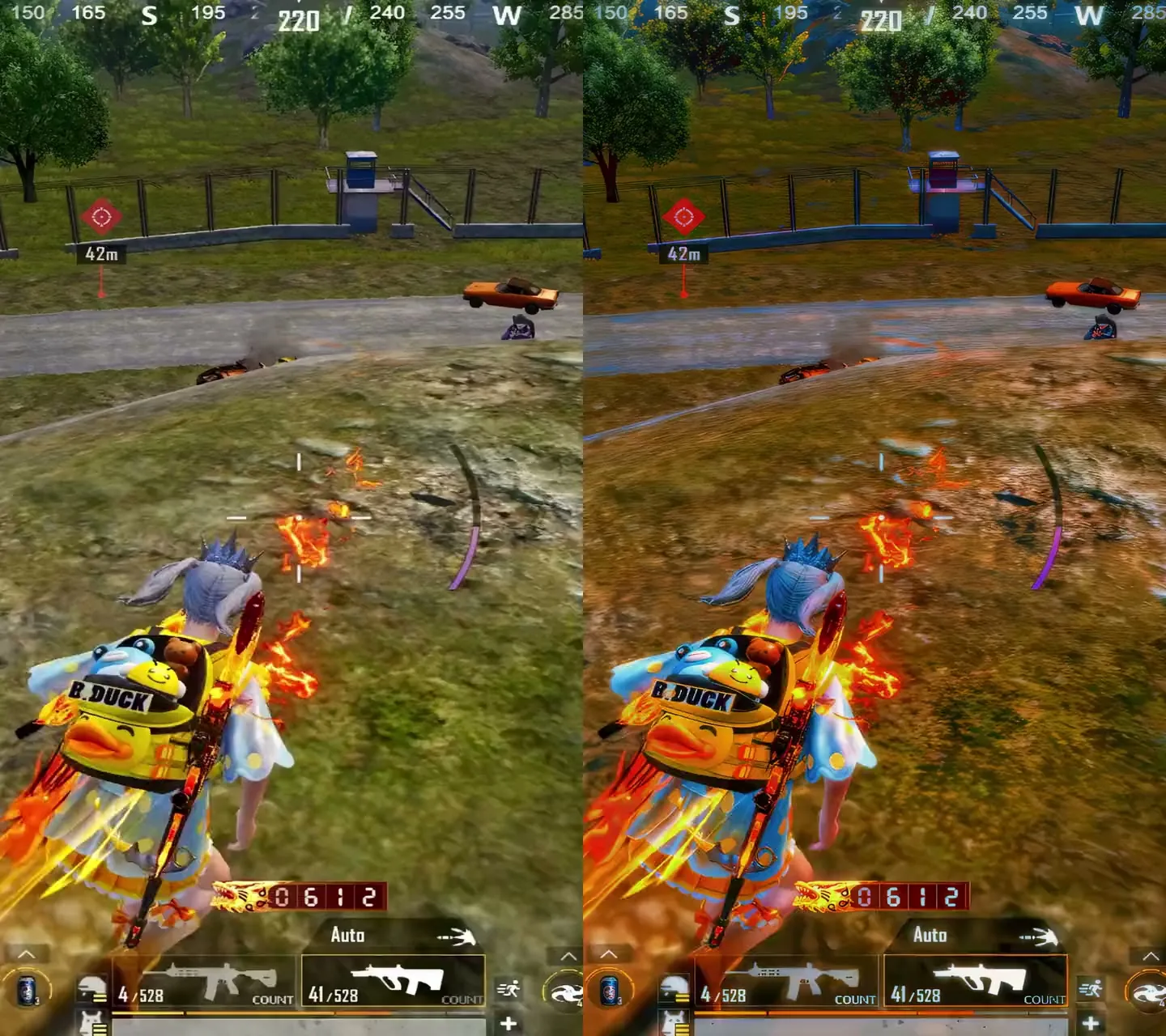
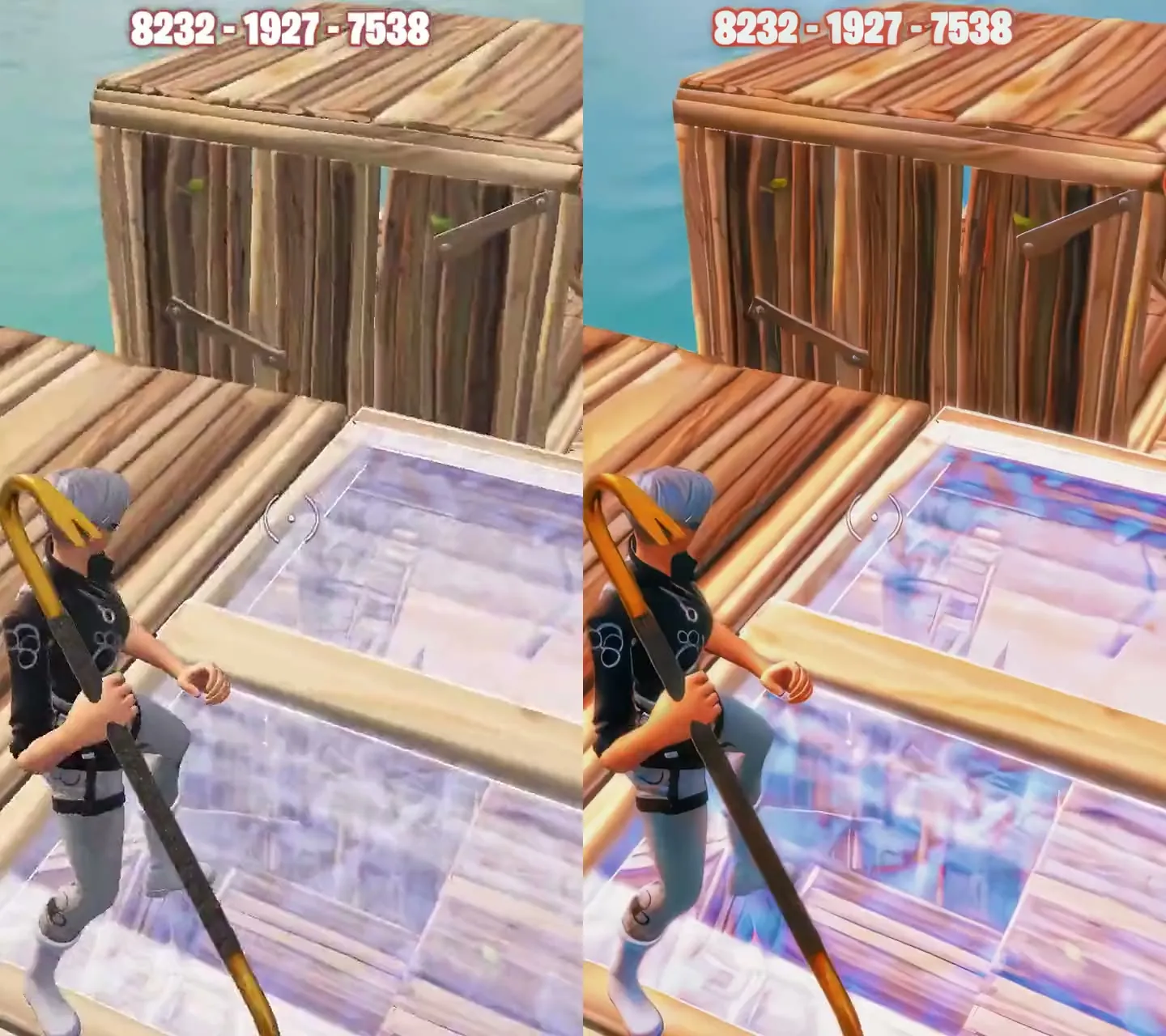
Deeper, more vivid color, clearly visible in the sky, outfits and wood.
Sharper edges and textures on characters, ground and structures.
Pick a 9:16 frame inside the program; both samples are cropped vertically for short-form content.
Real samples from Elashkef, with identical framing on both sides for a fair comparison. Clips are silent, and results vary with the source file and settings.

A studio for enhancing video quality, with a simpler workflow that starts with your file.
An integrated space for video enhancement developed by Elashkef. Add your video and begin enhancing its quality with a simpler workflow and less editing-project setup.
The included installer is for 64-bit Windows and requires an internet connection for activation and subscription checks. Processing speed depends on your hardware and video; contact support about compatibility before purchasing. Subscription duration and renewal terms are shown above and before payment.
$30 / month
Buy this programReview release specifications and license terms before purchasing. License terms
Studio is a monthly subscription at the displayed price, automatically renewing until canceled, not lifetime access. Billing starts at purchase and the serial term starts at first activation. Cancellation stops future charges and preserves the paid term.
We do not offer voluntary change-of-mind refunds after digital delivery begins where lawful. Mandatory rights remain protected, and PayNow terms apply to its transactions. Read the refund policy
Enhancing quality is the core of the program, not a side feature buried in menus.
Add your file and move straight to improving it.
A guided experience so your time goes into the result, not the project setup.
Original software developed by Elashkef, alongside Elashkef 60FPS in the same collection.
Smoother motion. Clips that hold the eye.
Prepare smoother 60FPS videos with GPU motion blur and an Arabic and English interface.
Made for you if You create TikTok, Reels or Shorts content, or publish gaming clips and fast edits, and want smoother motion.
Quick answers about the programs, availability and licensing.
Elashkef 60FPS is about motion: it prepares video at a smooth 60 frames per second and adds GPU-powered motion blur. Elashkef Studio focuses on the quality of the picture itself. Choose 60FPS if the problem is motion, and Studio if it is quality.
Programs marked “Coming to the store” are not available to purchase yet. Pricing and the purchase button appear on the program’s page as soon as it launches, and you can contact us with any question before then.
Release specifications and system requirements appear on the program’s page when it becomes available. Review the license terms, or contact us before purchasing if you have a question. License terms
Choose the program that fits your work and start from its page.